
Download Fudget Budget Planner Tracker – Simple, Free, Secure Finance Management
Overview
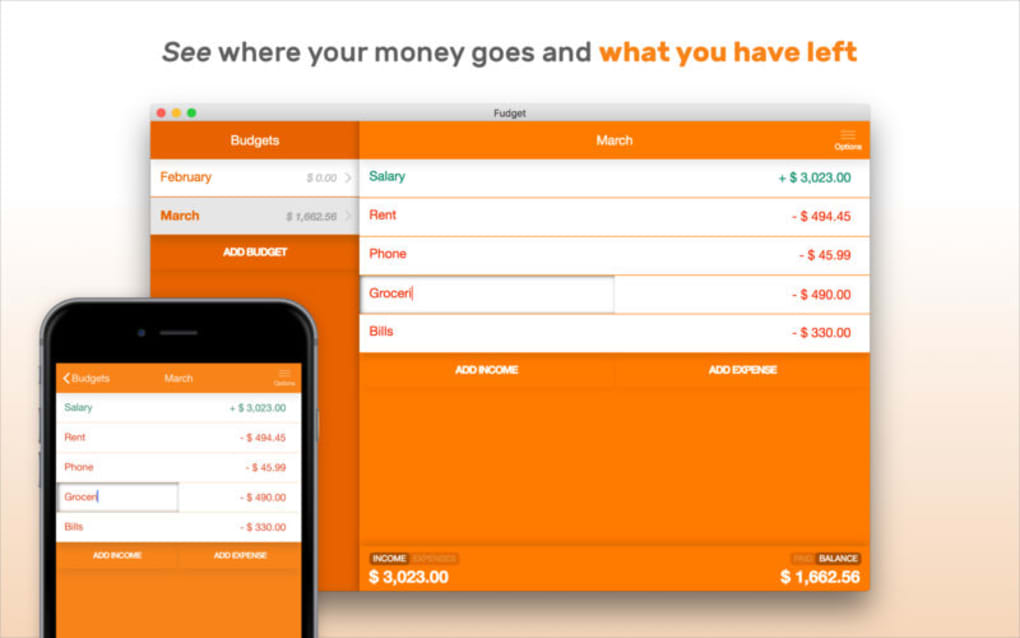
Fudget Budget Planner Tracker is a lightweight yet powerful budgeting app designed for anyone who wants to keep a clear eye on their personal finances without the clutter of overly complex tools. Built around the principle of simplicity, Fudget presents income and expense data on a single, color‑coded screen, making it easy to see where money is coming from and where it is going each month. The interface eliminates the need for endless spreadsheets or confusing categories; instead, you add a line item for each income source and expense, and Fudget instantly calculates totals, balances, and visual summaries.
Whether you are a student managing a part‑time salary, a family juggling multiple bills, or a freelancer tracking project‑related costs, the app adapts to your workflow while staying unobtrusive. Because it is free to download and free of ads, users can focus on financial clarity rather than dealing with intrusive pop‑ups or hidden fees. Security is also a priority: all data is stored locally on your device, with optional cloud backup for those who prefer an extra layer of protection.
Regular updates ensure that the app stays compatible with the latest operating systems and continues to improve usability based on community feedback. In short, Fudget is the go‑to solution for anyone who wants a transparent, hassle‑free way to plan, track, and manage a budget on both desktop and mobile platforms.
Key Features
- One‑Screen Overview: Income and expenses are displayed side‑by‑side on a single screen, color‑coded for instant recognition.
- Unlimited Categories: Create as many custom categories as you need without restrictions.
- Real‑Time Calculations: Totals, balances, and remaining budgets update instantly as you add or edit entries.
- Multi‑Platform Sync: Seamlessly switch between Windows, macOS, Android, and iOS while keeping your data consistent.
- Offline‑First Architecture: All data is stored locally first, ensuring you can access your budget even without an internet connection.
- Export Options: Export your budget to CSV or PDF for sharing with accountants or for personal records.
- Secure Cloud Backup (Optional): Encrypt your data and back it up to a cloud service of your choice.
- Recurring Transactions: Set up regular income (salary) or recurring expenses (rent, subscriptions) that auto‑populate each month.
- Customizable Visual Themes: Choose light or dark mode and adjust accent colors to match your preference.
- Free & Ad‑Free: No hidden fees, no ads, and no premium lock‑outs—everything is available from the start.
Installation & Usage Guide
Getting started with Fudget is intentionally straightforward. First, visit the official website or your device’s app store (Google Play Store for Android, Apple App Store for iOS, Microsoft Store for Windows, or the Mac App Store for macOS). Click the “Download” button, and the installer will begin downloading automatically. For desktop versions, run the installer file and follow the on‑screen prompts—accept the license agreement, choose an installation folder, and click “Install.” Once the application launches, you’ll be greeted by a clean onboarding screen that walks you through creating your first budget.
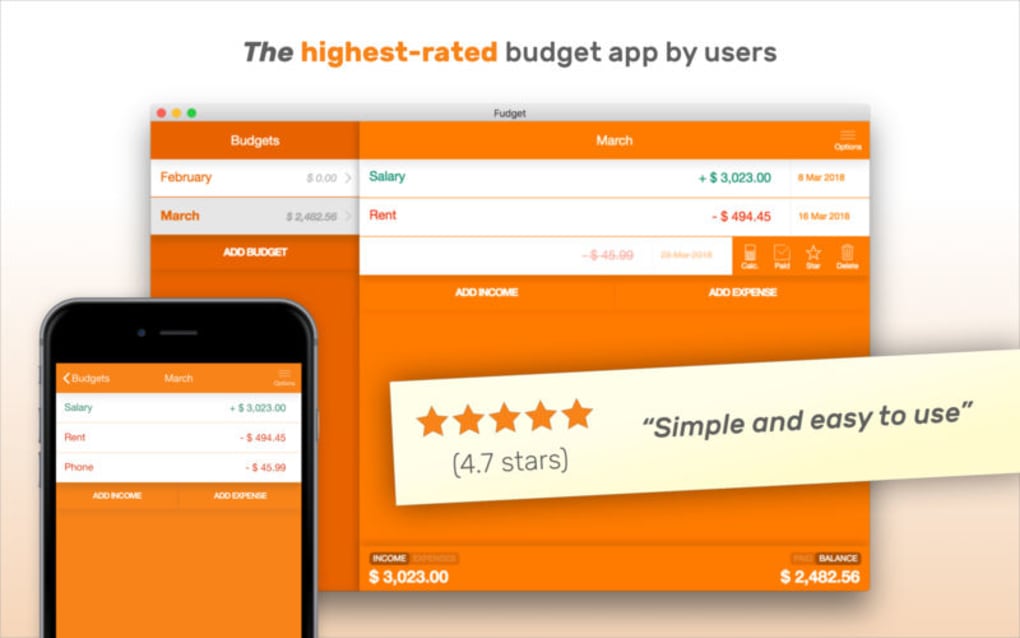
Begin by entering your primary income sources—salary, freelance earnings, or any other cash inflow. Assign each entry a name, amount, and date. Next, add expense items such as rent, groceries, utilities, and entertainment. As you type, the app instantly updates the remaining balance, highlighting any overspend in red. To keep the process efficient, use the “Quick Add” button for recurring items; you can set the frequency (daily, weekly, monthly) and the app will automatically populate future entries.
Navigation is designed for speed: the left sidebar provides shortcuts to “All Budgets,” “Analytics,” “Settings,” and “Backup.” The “Analytics” tab offers simple charts that visualize income versus expenses over time, helping you spot trends without drowning in data. If you need to adjust a figure, simply tap the line item and edit the amount; the calculations recalculate instantly. For users who prefer a backup, head to Settings → Cloud Backup, enable encryption, and select your preferred cloud provider (Google Drive, Dropbox, iCloud). Finally, to share your budget with a partner or accountant, use the Export feature located in Settings → Export, choose CSV or PDF, and send the file via email.
Compatibility & System Requirements
Fudget is built to run on the most common operating systems, ensuring that you can manage your finances wherever you are. The current version supports:
- Windows 10 and later (64‑bit)
- macOS 10.14 (Mojave) and later
- Android 6.0 (Marshmallow) and later
- iOS 12.0 and later (iPhone, iPad, iPod Touch)
Pros and Cons
Pros
- Intuitive one‑screen layout eliminates the need for multiple tabs or menus.
- Completely free and ad‑free, offering all features without hidden costs.
- Cross‑platform support lets you switch between desktop and mobile seamlessly.
- Offline‑first design guarantees access even without internet.
- Secure optional cloud backup protects data against device loss.
- Real‑time calculations and color‑coded alerts keep you instantly aware of overspending.
- Export to CSV/PDF makes sharing with accountants painless.
Cons
- No built‑in investment tracking; users must manage those manually.
- Limited built‑in reporting compared to enterprise‑grade finance software.
- While cloud backup is optional, the free version does not include automatic sync across devices.
- Advanced budgeting techniques (e.g., envelope method) require manual setup.
Frequently Asked Questions
Is Fudget completely free or are there hidden fees?
Fudget is 100 % free to download and use. There are no subscription tiers, in‑app purchases, or ads. All core features—including unlimited budgets, recurring transactions, and export options—are available without charge.
Can I sync my budget across multiple devices?
Yes. While the base app works offline, you can enable optional cloud backup (Google Drive, Dropbox, iCloud). Once enabled, your data syncs automatically across any device where you have installed Fudget and logged in with the same cloud account.
How secure is my financial data in Fudget?
All budget data is stored locally on your device by default, meaning it never leaves your phone or computer unless you choose to back it up. When you enable cloud backup, the data is encrypted before it is uploaded, ensuring only you can decrypt and view it.
Can I export my budget for tax preparation?
Absolutely. Fudget offers CSV and PDF export options. The CSV file can be opened in spreadsheet programs like Excel or Google Sheets, while the PDF provides a clean, printable summary of your income and expenses.
Does Fudget support multiple currencies?
Yes, Fudget lets you select your preferred currency during the initial setup. You can also change the currency later in Settings, and all existing amounts will be displayed in the new currency format.
Conclusion & Call to Action
In a market saturated with feature‑heavy budgeting tools, Fudget stands out by delivering exactly what most users need: a clear, fast, and completely free way to monitor income and expenses. Its one‑screen design removes the intimidation factor often associated with finance apps, while optional cloud backup and export features give power users the flexibility they desire. Whether you are just beginning to track your spending or you have years of budgeting experience, Fudget’s simplicity saves time and reduces the mental load of financial management.
Ready to take control of your money without the hassle of complex software? Download Fudget Budget Planner Tracker now and start visualizing your finances in seconds. Experience the peace of mind that comes from knowing exactly where every dollar is going—securely, freely, and effortlessly.
Fudget delivers a refreshingly simple budgeting experience that works across all major platforms. Its strength lies in the uncluttered UI and real‑time calculations, which make daily expense tracking feel almost automatic. While it lacks advanced investment tracking, the core budgeting functions are more than sufficient for personal finance management. The optional encrypted cloud backup is a thoughtful addition for users who need cross‑device sync without sacrificing security. Overall, Fudget earns a solid 4.5 out of 5 stars for its ease of use, reliability, and genuine free offering.
- Pros: Free, ad‑free, cross‑platform, offline‑first, secure backup.
- Cons: No built‑in investment tracker, manual setup for advanced budgeting methods.







